Free preview · Pro to save effects · iPhone and Android
Change audio pitch, tempo and rate
In TapeSail’s editor, Pitch raises or lowers the sound, Tempo changes speed while preserving pitch, and Rate changes both pitch and speed. Preview these effects for free. To share the changed audio, save a new copy with TapeSail Pro.
By TapeSail · Updated
Watch: slow audio while preserving pitch
This Android demo sets Tempo to 0.75× with Rate at 1×, compares the original and slower previews, then saves a separate WAV copy. Previewing effects is free; saving the changed audio requires TapeSail Pro.
Playing loads YouTube and shares data with Google. Privacy details.
Watch the demo on YouTubeWatch: lower voice pitch without changing speed
This Android demo drags Pitch to −3 semitones while Tempo and Rate stay at 1×, compares Original and Edited, and saves a new WAV copy. Previewing pitch changes is free; saving requires TapeSail Pro.
Playing loads YouTube and shares data with Google. Privacy details.
Watch the demo on YouTubeHow to change pitch or speed
Open the recording in Edit
Tap the recording in the library to expand it, then tap Edit. Trim first if you only want to keep a section.
Choose Pitch or Speed
Choose Pitch for semitone adjustments. Choose Speed for Tempo · preserve pitch or Rate · pitch + speed. Use the comparison below to pick the control that matches your goal.
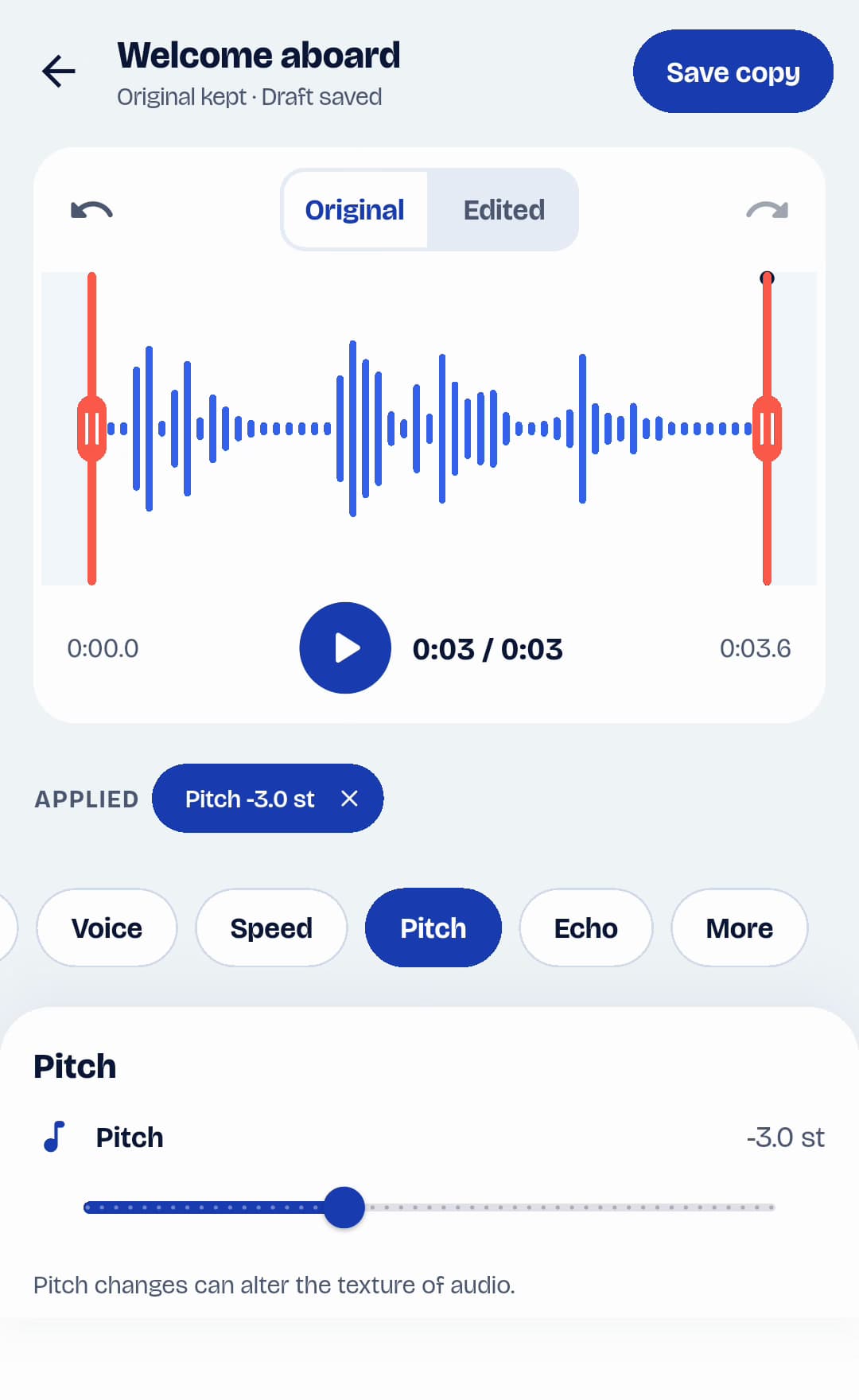
Android · TapeSailPitch changes the tone. This example lowers it by three semitones. View larger Adjust one control and preview
If prompted, follow the free-preview explanation. Change one slider at a time, play Edited and compare with Original. Small changes make it easier to judge the effect.
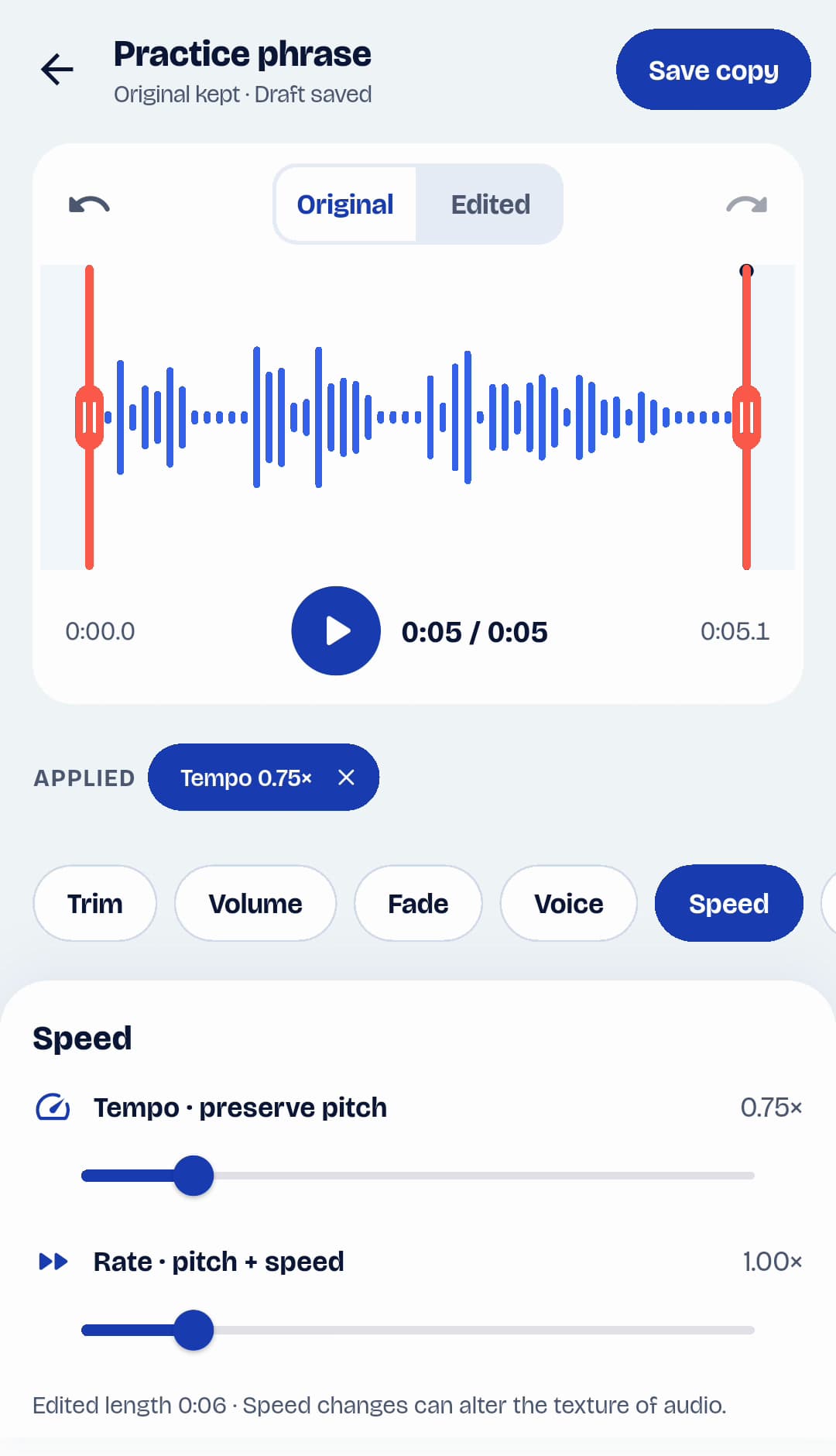
Android · TapeSailTempo slows this example to 0.75× while preserving pitch; Rate stays at 1×. View larger Check the result from start to finish
Speed changes alter output length. Listen at the start and end as well as the middle, and check speech or musical passages for unwanted changes in texture.
Save a changed audio file
Tap Save copy and enter a name. Saving pitch, tempo or rate effects requires Pro and creates a WAV copy in the library. Convert that copy to M4A if needed, then Share or Export it.
Pitch, tempo or rate: which control?
| Control | Pitch | Speed and duration |
|---|---|---|
| Pitch | Raises or lowers pitch in semitones. | Keeps speed and duration when Tempo and Rate are both 1×. |
| Tempo | Preserves pitch. | Below 1×: slower and longer. Above 1×: faster and shorter. |
| Rate | Below 1×: lower. Above 1×: higher. | Below 1×: slower and longer. Above 1×: faster and shorter. |
Pitch and speed questions
How do I slow audio down without lowering the voice?
Use Tempo under Speed. For example, 0.75× tempo makes audio slower and longer while preserving pitch. Leave Rate at 1× if you do not also want a pitch change.
What does a semitone mean?
A semitone is one pitch step, like the distance between adjacent keys on a piano. Positive Pitch values raise the sound; negative values lower it. Twelve semitones make an octave.
Why is playback speed free but saving a speed effect needs Pro?
The library’s playback-speed control changes how you listen to the existing file. It does not create a changed file to share. Editor Tempo and Rate render a new audio copy, which requires Pro.
Can pitch changes affect sound quality?
Pitch and tempo processing can change the texture of speech or music, especially with large adjustments. Preview a representative passage before saving; Original lets you check the source at any time.